Browse guides
Connect Stripe
Paste a restricted key; betterrewards checks it, stores it encrypted and creates its webhook. About two minutes.
2 min read · For companies
betterrewards reads payments from your own Stripe account. It never moves money. The setup wizard asks for Stripe after your company details; later the same form is under Integrations → Stripe.
1. Create a restricted key
Click Create restricted key in Stripe (or Create test-mode key to try it first). It opens Stripe's restricted key form, named after your instance, with the permissions below. Check them and click Create key.
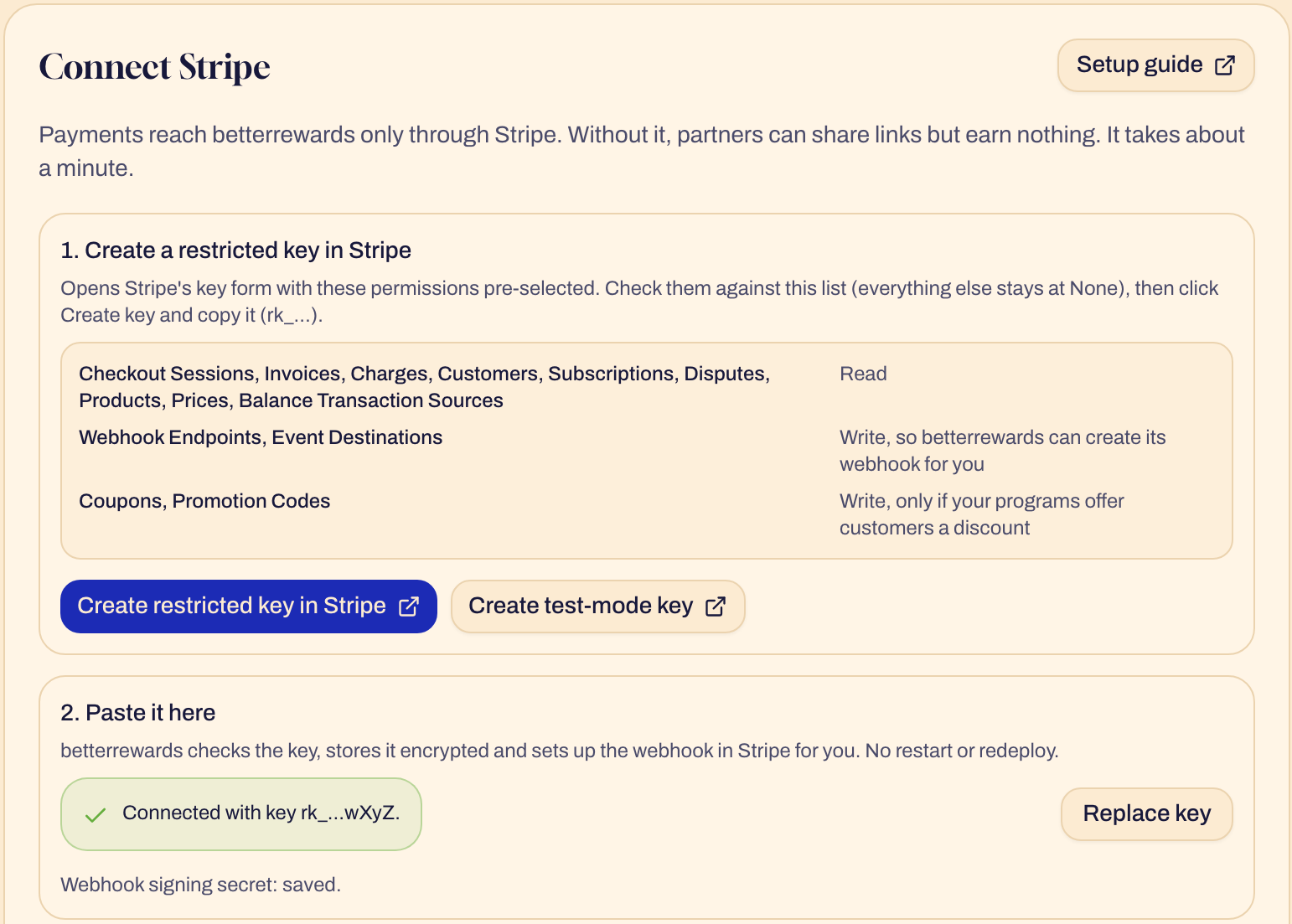
| Permission | Access | Why |
|---|---|---|
| Checkout Sessions, Invoices, Charges, Customers, Subscriptions, Disputes, Products, Prices, Balance Transaction Sources | Read | What was paid and what you received, attribution, renewals, refunds and disputes, your catalog |
| Webhook Endpoints, Event Destinations | Write | Creating the webhook for you |
| Coupons, Promotion Codes | Write | Only if your programs offer customers a discount |
2. Paste it
Paste the key (rk_live_… or rk_test_…) and save. betterrewards checks each permission, stores the key encrypted, and creates a webhook endpoint in Stripe for the events it needs. No restart, no redeploy. Secret keys (sk_…) are refused: a restricted key limits what the instance can do.
3. Import your products
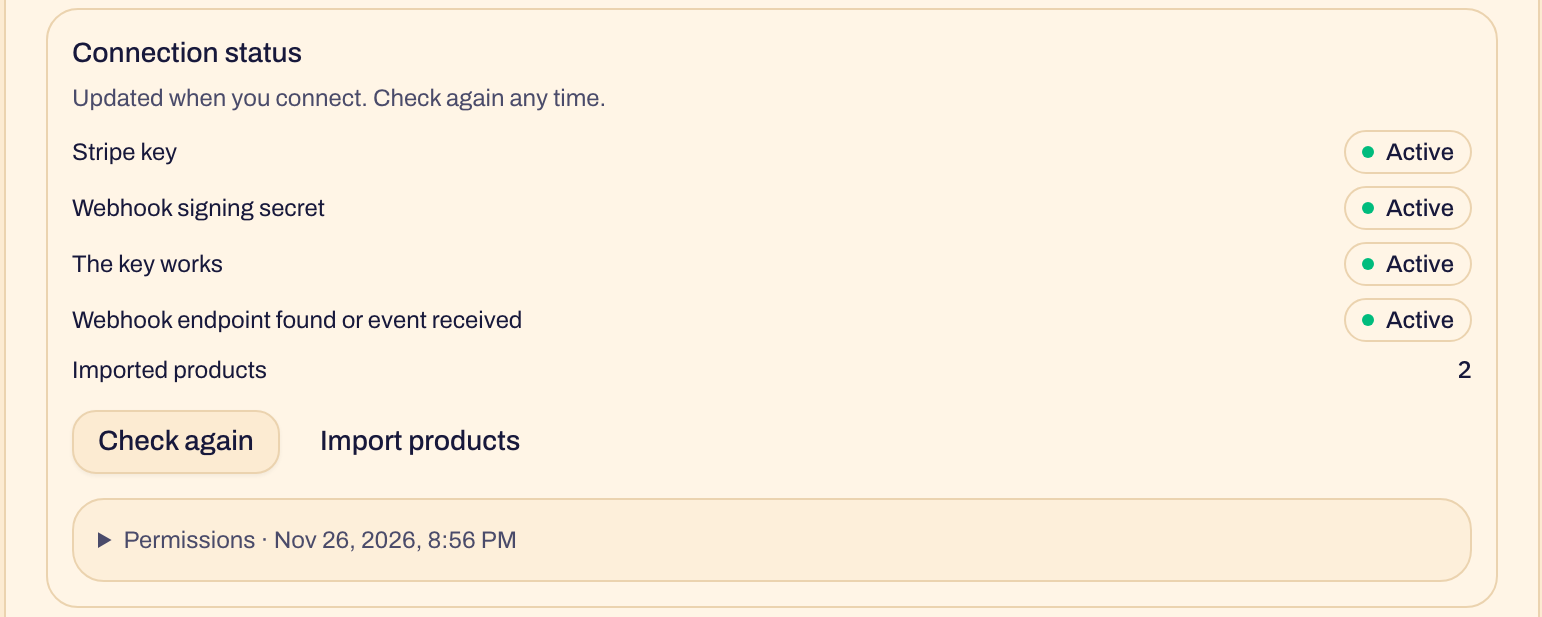
Click Import products. Programs can then pay commission, and apply a discount, only on the products you choose.
If the webhook cannot be created
- The instance must be reachable over https from the internet. On your own computer, run stripe listen --forward-to localhost:3000/api/stripe/webhook and paste the whsec_ secret it prints.
- Without the Webhook Endpoints permission, add an endpoint in Stripe yourself with the URL and events the page lists (checkout.session.completed, checkout.session.async_payment_succeeded, invoice.paid, payment_intent.succeeded, charge.refunded, charge.dispute.created, customer.subscription.updated, customer.subscription.deleted), then paste its signing secret.
- Moved to your own domain? Save the key again: the endpoint moves to the new address and keeps its signing secret.
STRIPE_API_KEY and STRIPE_WEBHOOK_SECRET in the environment take precedence over the form, for teams that manage secrets elsewhere.